
Give them a reason to come back.
Reward repeat visits to your coffee shop, barbershop or business with a stamp card on your customers’ phones. You choose the reward. They collect stamps, with no HexBites app to download.
From $9 USD a month, no setup fee · Cancel anytime
- Stamps, points and coupons
- Google reviews
- Messages to their phone
- Multiple locations
- Access for your team
Your business at a glance
See who comes back and which rewards your team gives out.
View customers, stamps and redemptions in one place. Read the feedback customers leave after their visits.
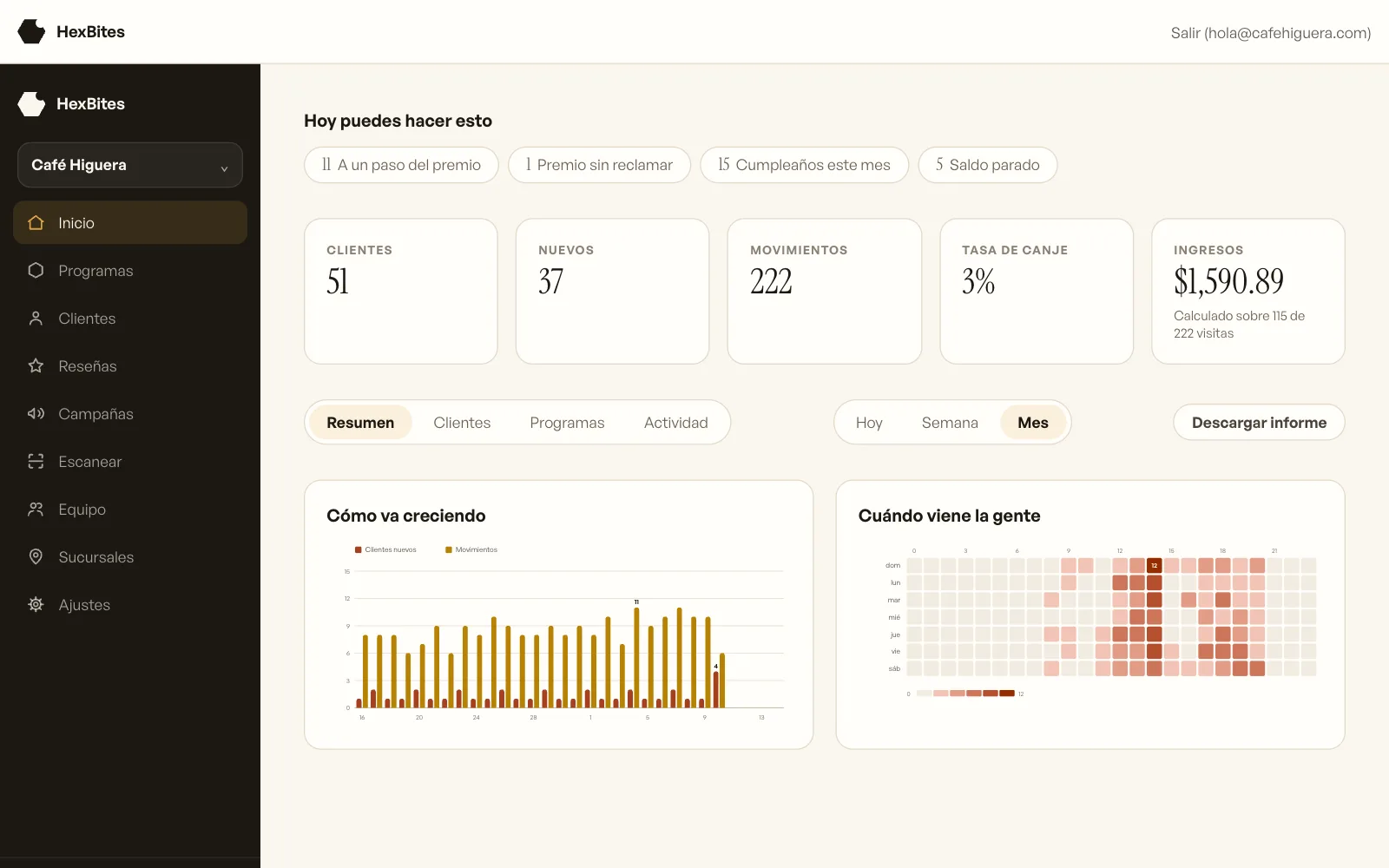
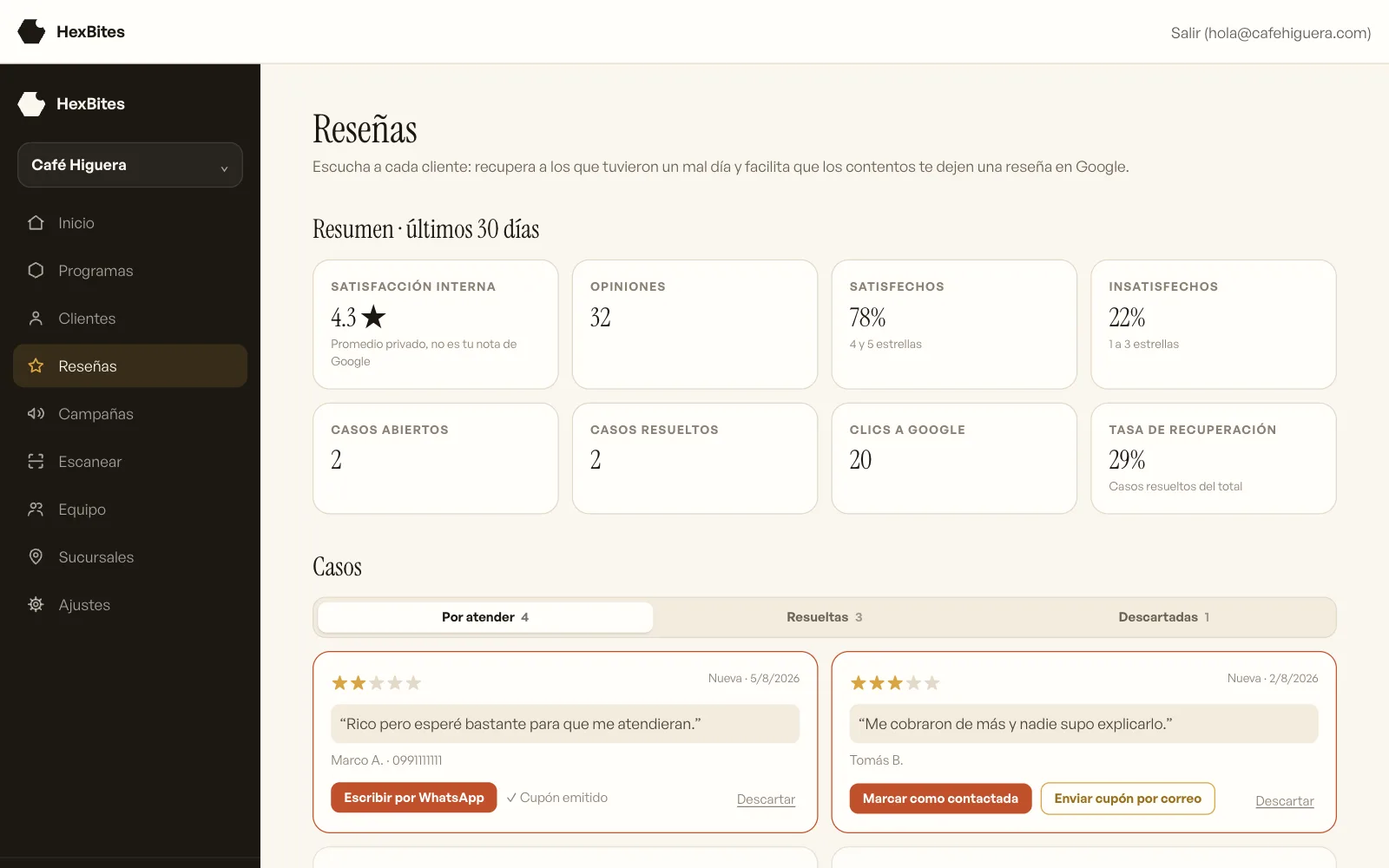
Example dashboard shown in Spanish. Figures are illustrative.
A reason to return
One good visit can be the start of many.
A free coffee or a discount on their next haircut: a clear reward gives customers something to look forward to. Each stamp shows how close they are.
You choose the reward and how many stamps they need. The card stays on their phone, ready for their next visit.
How it works
You choose the reward. They collect stamps.
Set up your card and reward
Add your business name and colors. Choose a reward and how many stamps each customer needs to collect.
Your customer saves it
They scan the QR at your counter or open a link you share on WhatsApp. They register and save the card on their phone.
Add stamps at the counter
Your team opens HexBites on a phone and scans the customer’s card. They add stamps or record a reward when it is ready.
Cards for every occasion
Start with stamps. Choose what fits your business.
You can also offer points, coupons or balance for future purchases. Choose an option to see an example card.
A stamp with each purchase and a reward for completing the card. You choose how many stamps and what to offer.

 HB-10432
Made to feel like your business
Your name, your colors and a reward they recognize.
Personalize the card with your image and a stamp that represents your business. Each customer sees their progress toward the reward.
A stamp for your business
A cup for your coffee shop, scissors for your barbershop. Choose from the available icons.
Your colors and image
Adjust the background, stamps and text so customers recognize your brand.
Preview it on a phone
Check how your card will look in Apple Wallet and Google Wallet before publishing.
Keep your design up to date
When you update the design, the changes reach cards saved in compatible wallets.
Balance for future purchases
Offer a gift card or a top-up for their next visit.
Take payment at your business and record the balance on the card. The dashboard helps you check how much customers have spent and how much they still have available.
Gift card
An amount to give as a gift, usable over several purchases until the balance runs out.
Reloadable card
Balance for regular purchases. Customers can top it up at your business.
Voucher
Used in full on one visit, with no change given. The terms appear on the voucher.
Example · Balance left to spend
$438.38
$358.38
on 16 cards
$80.00
in unclaimed codes
Tools for your daily work
Look after your customers while running the counter.
Find customers to invite back
Find customers who have not visited in a while, are close to a reward or have a birthday this month.
Send news to their phone
Share a message with customers who saved your card in their digital wallet. Check how many can receive it before sending.
Hear how their visit went
Collect feedback after each visit and give customers a link to leave a Google review.
Multiple locations
See where each customer registers and choose which locations accept each card. Available with Pro.
An account for each team member
Your team can scan cards and add stamps. You decide who can view the numbers or change settings.
Track visits and rewards
See who returns, which rewards have been redeemed and the activity on your cards from the dashboard.
Example · Customers to contact
- 1 · Close to a reward
- 15 · Birthdays this month
- 5 · Have not visited in a while
- 4 · Have unspent balance
From GrowthCustomer feedback
Hear about their experience. Give them a response.
A QR at the table or counter lets customers tell you how their visit went. Read their feedback in your dashboard and respond if they leave their contact details.
Make Google reviews easy
Customers find the link to your Google listing. Each person decides whether to post a review and what to write.
Follow up on a poor experience
Read the comment and any details the customer chooses to share. You can contact them and offer an apology coupon.
Thank them for their feedback
Offer a stamp, points or a coupon for answering your private survey. The reward does not depend on the rating or on posting to Google.
Illustrative example
How was your visit today?
Example: 1 stamp for the private survey
Example · A customer awaits a reply
★★☆☆☆ “The coffee was cold” · Example customer
The opinion belongs to the customer. Any customer can open the link to leave a public review. Private survey rewards do not require a Google review or a positive rating.
Ideas for your business
You choose the reward. Here are a few ideas.

Coffee shop
A free coffee for completing a stamp card.

Barbershop
A discount on their next haircut after collecting the stamps you set.

Gym
Points for attending classes, to exchange for a session or a product.

Local store
A coupon to invite customers back for their next purchase.

Restaurant
A gift card for sharing a dinner at your restaurant.
How your customer uses it
The card stays on their phone. The reward waits at your shop.
They open it from a link and can save it to Apple Wallet or Google Wallet. They do not need a HexBites app.

1. Scan
They scan the QR at your counter or open the link you share.
 HB-10432
2. Save
They register and open their card. They can save the link or add it to a compatible wallet.
3. Come back and add
They show their card on the next purchase. Your team scans it and adds the appropriate stamps.
Options for saving the card to a compatible wallet:
Pricing
From $9 a month. No setup fee.
Choose a plan for your customers and team. To start you pay the first month and nothing else; after that, the monthly fee.
Basic
To start with one card
$9USD /mo
- 1 active card program
- Stamps, points, coupons or balance
- Up to 100 customers
- Apple Wallet and Google Wallet
- 2 people on the dashboard
- 2 wallet messages per month
Growth
For more cards and customer reviews
$19USD /mo
- 3 active card programs
- Up to 1,500 customers
- Customer feedback and Google reviews
- 5 people on the dashboard
- 8 wallet messages per month
- Coupons to invite customers back
Pro
For several locations
$39USD /mo
- Unlimited programs and customers
- Unlimited team members
- Several locations
- Custom design included
- Priority support
Prices in US dollars (USD). The amount and currency are shown before you confirm payment.
Setting up your card and QR code costs nothing and you do it yourself from the dashboard. If you would rather we set it up for you, you can request it from your account once it is created: a one-off $11 on Basic and $30 on the other plans. No commission per registered customer or redeemed reward.
Tell us what you want for your business.
Leave your details and we will contact you to answer your questions. If you already know what you need, you can choose your plan.
Frequently asked questions
What to know before you start.
Can I change my card after publishing it?
Yes. You can edit the design and rules. If a change affects customer progress, the dashboard shows you how many customers are affected before you save. Previously redeemed rewards stay on record.
Do my customers need to download an app?
They do not need a HexBites app. The card opens in a browser from a QR code or link. They can save the link or add it to Apple Wallet or Google Wallet if they have a compatible wallet.
What does my team need to add stamps?
A phone with a camera, an internet connection and access to the dashboard. Your team scans the customer’s card QR to add stamps or points and record redemptions.
How do customer feedback and Google reviews work?
Customers scan your QR and answer a private survey about their visit. They can leave contact details for a response and open the link to Google to post a review. This feature is included from the Growth plan.
Can I use HexBites for multiple business locations?
Yes. With Pro you can manage multiple locations. Each has a registration QR, and you choose where each card is accepted and what your team can do.
Is there a minimum commitment?
No. The service is paid monthly and you can cancel anytime. Your account stays active until the end of the paid period. There is no setup fee.
Your next regular could be today’s customer.
Start with a card and a reward that makes sense for your business.